


Today's tasks
Tasks shows the tasks planned for you today, and you can step to other days to see theirs.
Before you start
You need:
- Task plans are enabled for your account - otherwise Tasks is not in the menu
New to the app? Start with Sign in to the MyTimePlan app.
Step by step
-
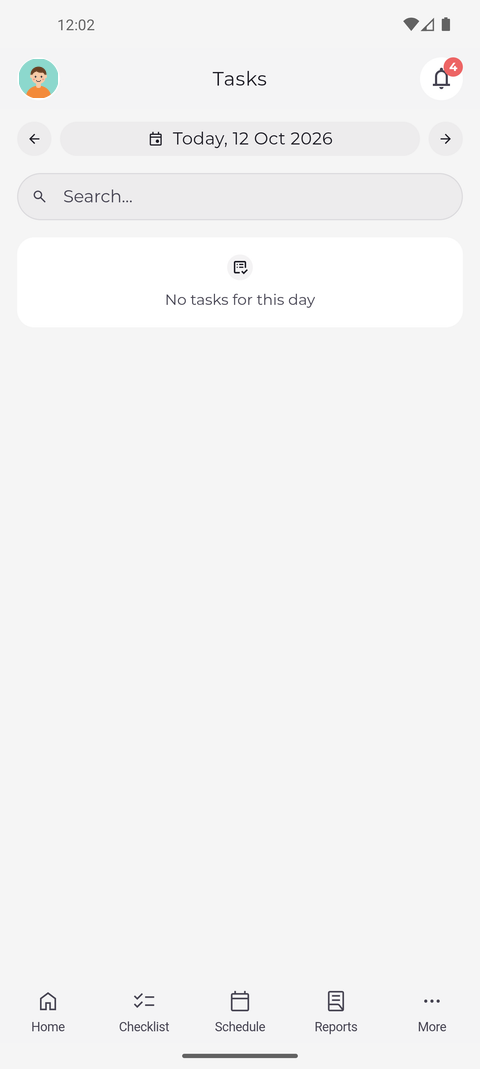
Step 1: Tasks opens on today and lists the tasks planned for you
Tap More in the bottom bar, then Tasks. The page opens on today and lists the tasks planned for you that day, or says No tasks for this day when there are none.
Tip: Each card shows the task, the time worked on it, its planned hours and project, and - when it has a to-do list - how many items are done, for example "To do: 2/5 done". Confirmed appears once a task that needs confirmation has been confirmed.
Tip: Tap a task to open its details. Type in Search... to narrow the list.
Tip: Search... looks only through the tasks of the day shown. When you step to another day, the same search runs for that day.
-
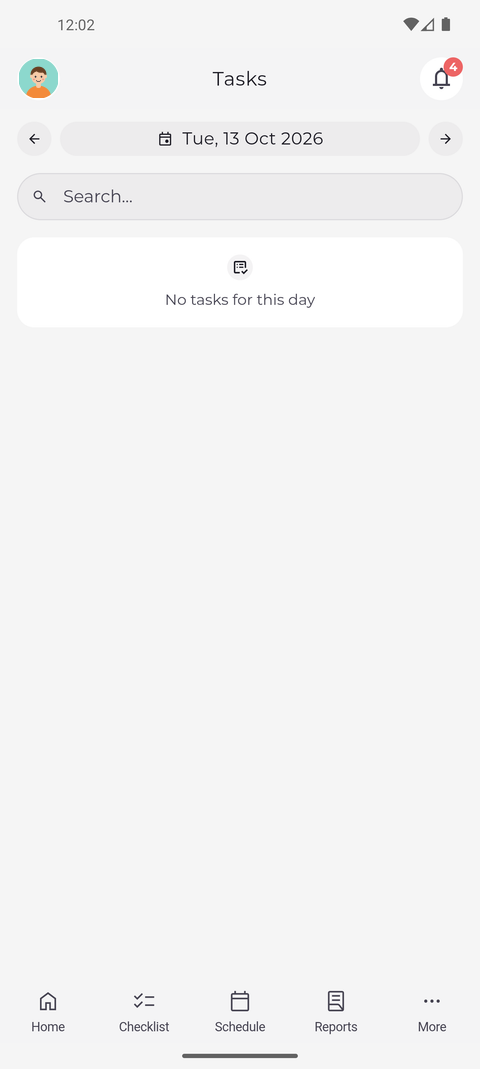
Step 2: Use the arrows to see another day
Tap the arrow to the right of the date. The page moves to the next day and lists the tasks planned for it.
Tip: The arrows go one day back or forward. The date reads Today when you are on the current day.
Tip: Each time you open Tasks it starts on today again. Only coming back from a task's details keeps the day you were on.
Tip: The arrows and the date are greyed out while the day is loading.
What happens next
You know what is planned for you today and on the next days.
Good to know
- A day without any task planned for you says "No tasks for this day".
- Pull the list down to reload it.
- If you do not find Tasks in the menu, task plans are not enabled for your account - ask your manager.
Questions
What does "Could not load the tasks" mean?
The list could not be fetched, usually because of the connection. Tap Try again below the message.