


Check your last attendance
The Attendance card on Home shows your last finished attendance. Open it to see exactly when you clocked in and out, and from which device.
Before you start
You need:
- Access to your attendances
- At least one finished attendance
New to the app? Start with Sign in to the MyTimePlan app.
Step by step
-
Step 1: Your last finished attendance is listed under Last attendance
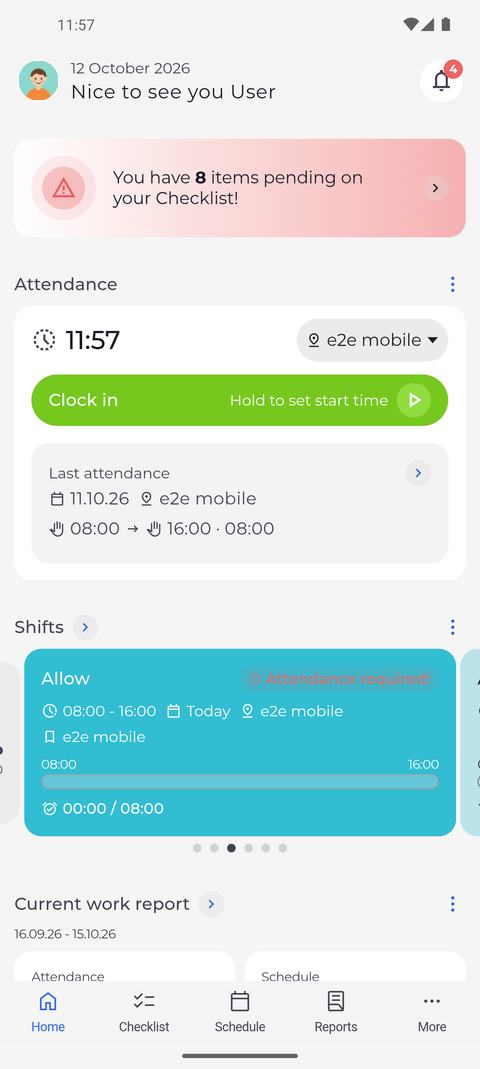
On the Home screen, scroll to the Attendance card. Under Last attendance you see your most recent finished attendance: its date and unit, the clock-in and clock-out times, and how long it lasted.
Tip: The arrow next to Last attendance only appears once you have a finished attendance. Until then the card says "No attendance to display".
-
Step 2: The details show when and from which device you clocked in and out
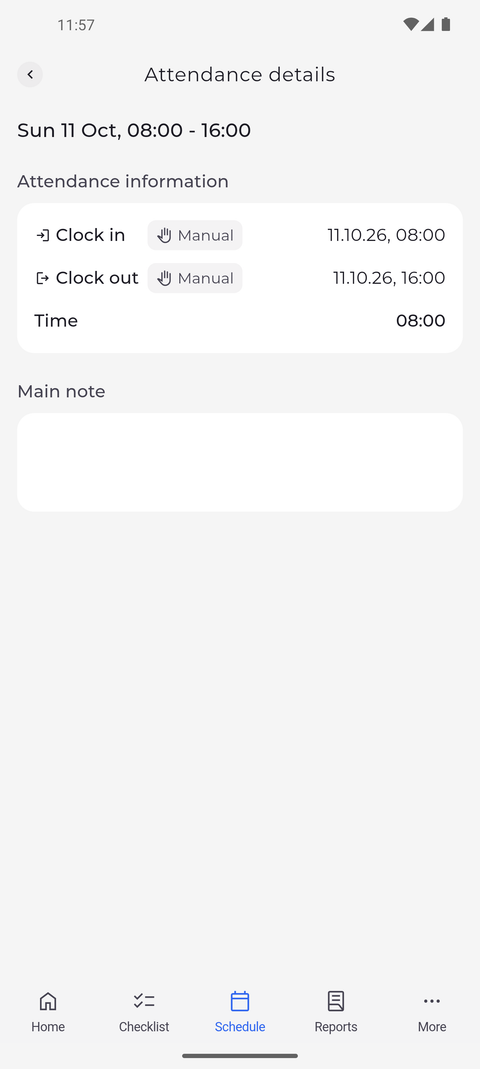
Tap the arrow next to Last attendance. Attendance details opens and shows the day and the times at the top. Under Attendance information, the Clock in and Clock out rows each show a label, here Manual, next to the date and time, and Time shows how long the attendance lasted. Below is Main note, which shows the note, if one was added.
Tip: The label next to each time shows how it was recorded. Mobile means it was clocked in this app; Website, Device and the other labels name the other places your company records time from.
Tip: Times saved in the attendance editor (press and hold Clock in, the pencil on the card, or Edit) are labelled Manual, even if you only changed the note. A clock-out made later with Clock out is labelled Mobile.
Tip: If the attendance belongs to a shift, Shift information shows that shift below; tap it to open the shift.
Tip: The ⋮ menu at the top right only appears if you are allowed to change this attendance, and it offers only what you may do (Edit, Delete). Without it, ask your manager to correct the attendance. Pull the page down to reload the attendance and the menu, for example after your manager changed your access.
What happens next
You know when your last attendance started and ended, how long it lasted and how each time was recorded.
Questions
Why does the details page say "You don't have access to this attendance."?
Your account is not allowed to view this attendance. Ask your manager if you need the details.