


Change a pending request
While a registration request still waits for a decision, you can change its hours, its action or its note.
Before you start
You need:
- A registration request of yours that is still Pending
New to the app? Start with Sign in to the MyTimePlan app.
Step by step
-
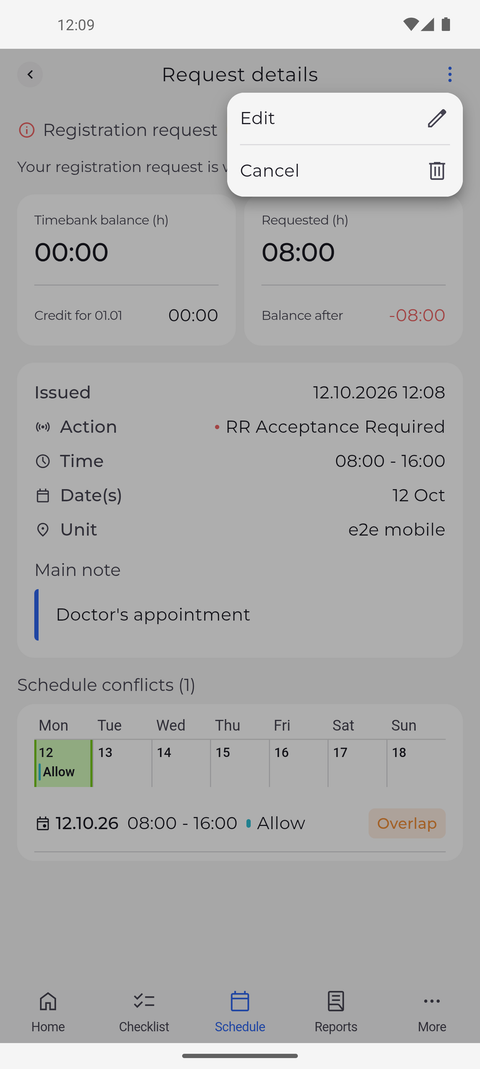
Step 1: The menu of a pending request offers Edit and Cancel
On the Schedule tab, tap your pending request on its day. In Request details, tap ⋮ at the top right to open the menu.
Tip: Edit is offered only while none of the request's days has been decided. Once a manager has decided a day, only Cancel is left, for the days that are still pending.
-
Step 2: Change what you need and send it again
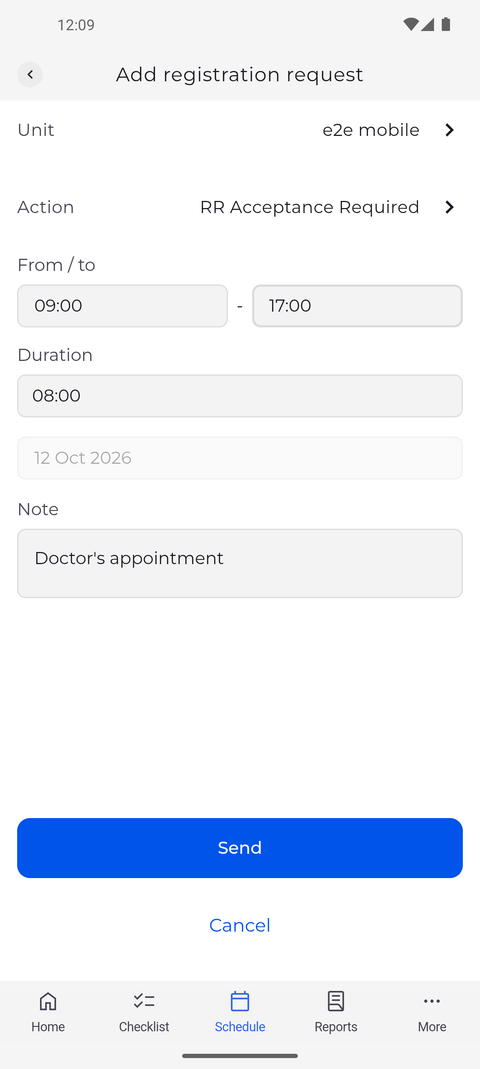
Tap Edit and change what you need, for example tap the two times under From / to to set new hours. Duration follows the new hours.
Tip: The form opens with the request's action, unit, hours and note already filled in, so you only change what is different.
Tip: The day is greyed out and cannot be changed here. To move the request to another day, cancel it and send a new one.
-
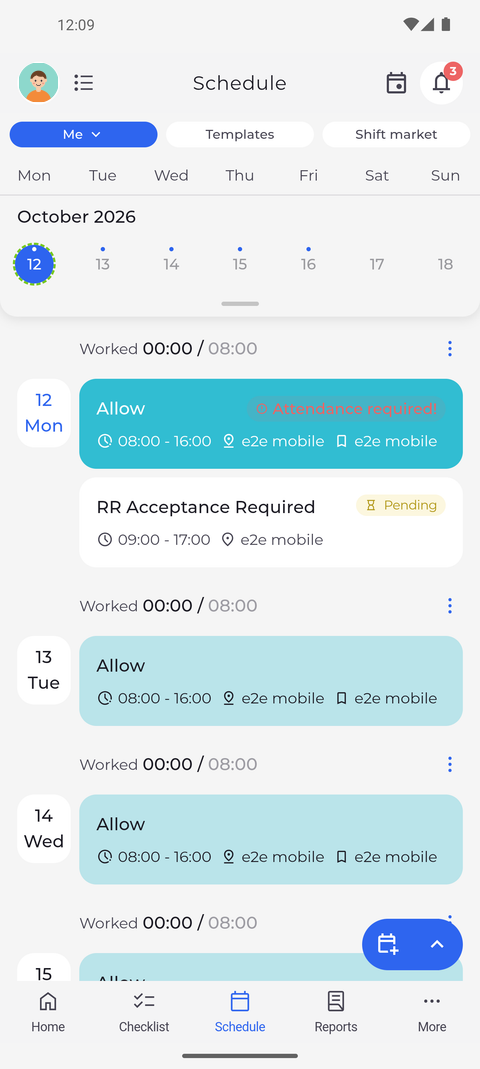
Step 3: The request keeps waiting for acceptance with the new times
Tap Send. On its day in your schedule, the request now shows the new hours and is still marked Pending.
Tip: After Send the app confirms with "Request updated" and takes you back to the schedule.
What happens next
The request has the new details and still waits for a manager's decision.
Questions
A Shift warnings window with only Don't change opened after I sent my change. What now?
The changed request clashes with your schedule. When you change a request, this window offers no Overwrite or Insert - tap Don't change to go back to the form, then choose other hours or another day.
Why does the app say "You do not have permission to perform this action." and leave the form?
The request can no longer be changed - a manager has already decided at least one of its days. Open it again in the schedule to see its current status.