


Hide an item from your Checklist
Hide takes an item you no longer want to see off your Checklist.
When to use it
When an item on your Checklist does not need your attention, for example because it is handled elsewhere.
Step by step
-
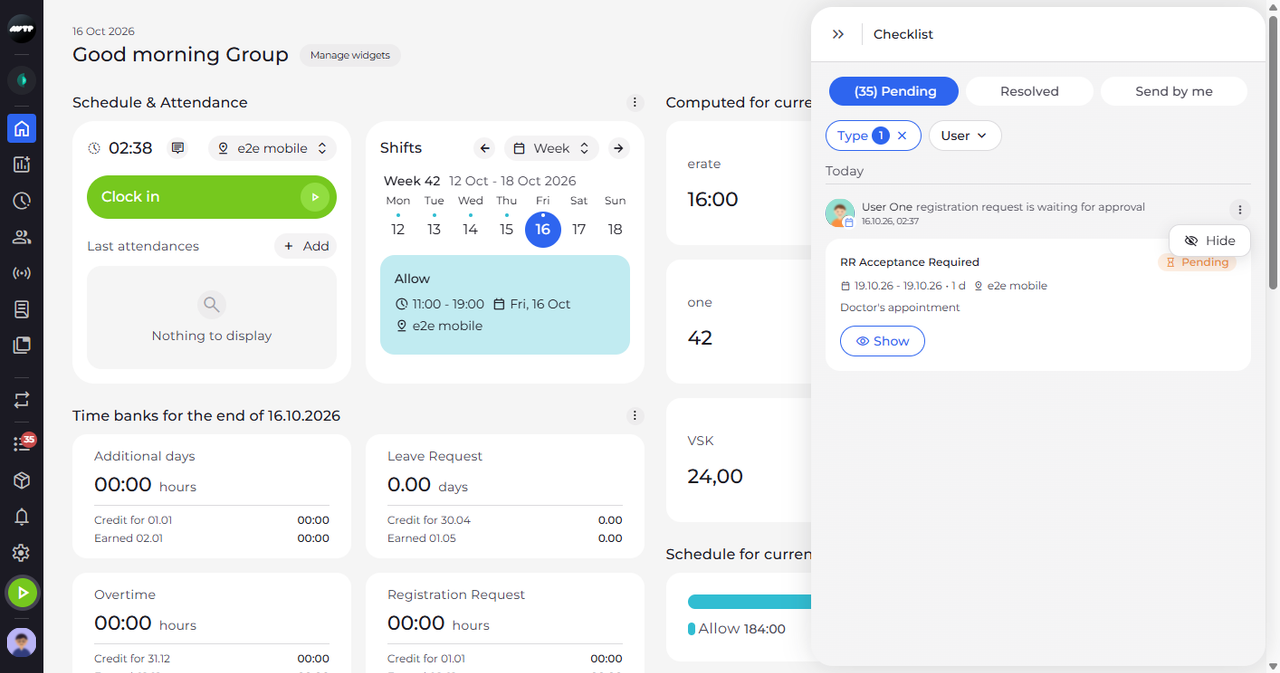
Step 1: Click ⋮ next to the item and choose Hide
In the side menu on the left, click the list icon with the red counter to open the Checklist. On the Pending tab, click the ⋮ button at the top right of the item. In the small menu that opens, click Hide.
Tip: Hide works at once: it does not ask you to confirm, and no message follows.
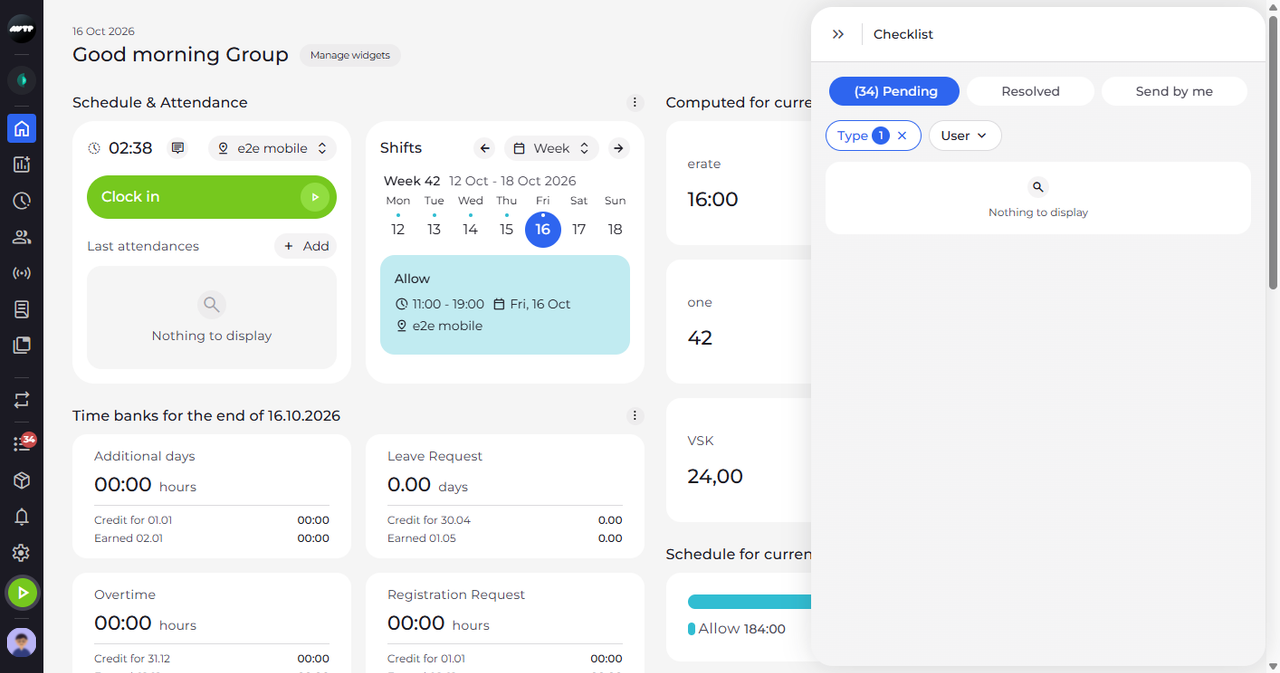
What happens next
The item is off your Checklist. To close the panel, click the double arrow at its top left.
Good to know
- Hiding is permanent and applies on all your devices - the app has no way to show a hidden item again.
- A request for several days is one card, and Hide takes all its days off your Checklist at once.
Questions
What does "Couldn't hide the item. Please try again." mean?
The hide could not be saved, so the item is back in the list. Hide it again; if the message keeps coming back, check your connection.
Does hiding a request reject it?
No. Hide only takes the item off your own Checklist. The request is neither accepted nor rejected and still waits for a decision.