


Change the app language
Language sets the language of the app's texts. You can pick English, Polish or Icelandic, or let the app follow the language of your phone.
Step by step
-
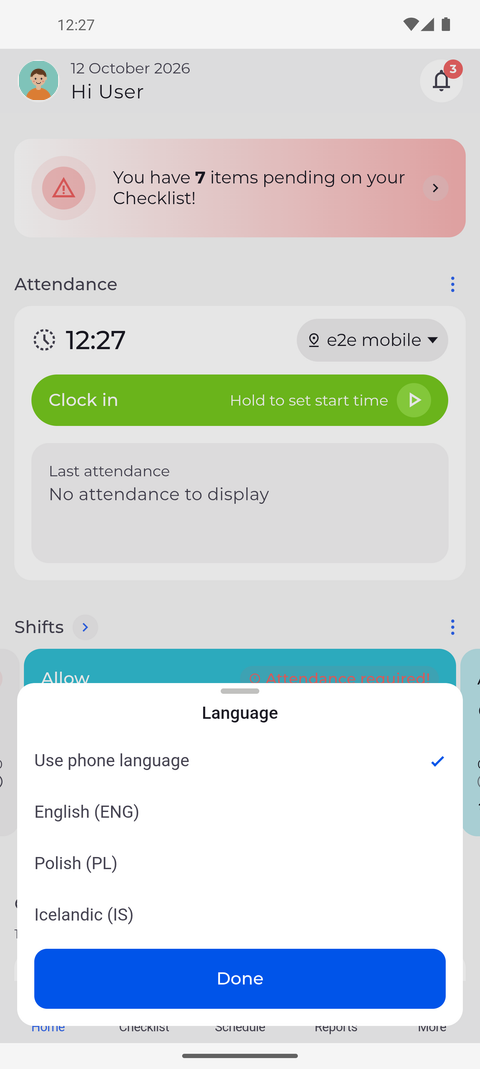
Step 1: Language offers your phone's language or English, Polish and Icelandic
Tap More in the bottom bar, then Language. The sheet lists Use phone language first, then English (ENG), Polish (PL) and Icelandic (IS), and a check mark shows the current choice. Tap the language you want, then tap Done.
Tip: Tapping a language only selects it - the app switches when you tap Done. Swipe the sheet down to close it without a change.
Tip: Use phone language shows the app in the language of your phone when that is English, Polish or Icelandic, and in English otherwise.
Tip: The languages are always listed by their English names, so you can find English again even in a language you do not read.
-
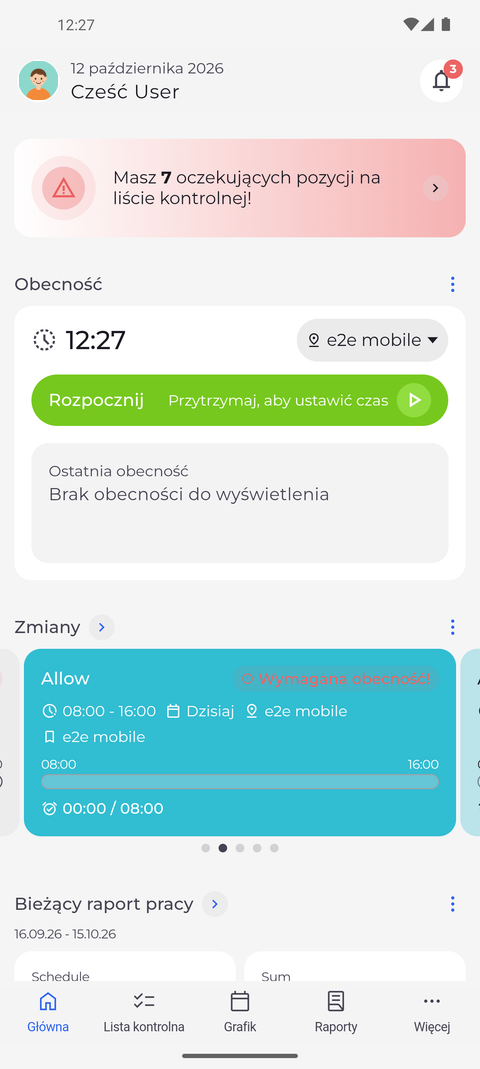
Step 2: The whole app switches at once
The app switches at once - here to Polish. The greeting, the widgets on Home and the bottom bar all show their texts in the new language.
Tip: Day and month names in dates switch to the chosen language as well.
-
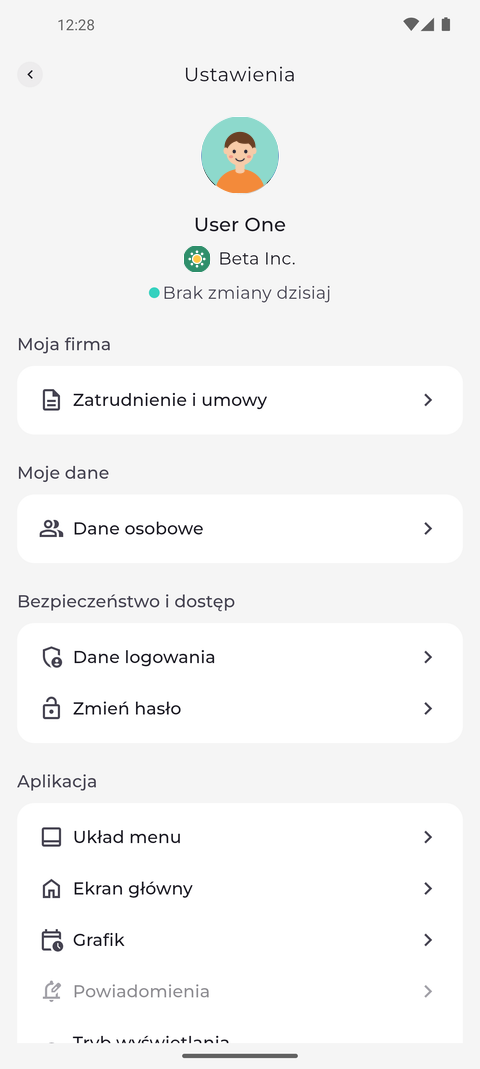
Step 3: Settings and every other page follow the language you picked
Every other page follows the new language too. Tap your profile picture at the top left of Home: Settings opens with its sections and rows in Polish.
Tip: You also find Language on the Settings page, in the Application section. The row shows the language you picked.
What happens next
The app shows its texts in the language you picked until you change it again in the same sheet.
Good to know
- The language is saved on this phone, not in your account. It stays when you log out and applies to whoever signs in on this phone next.