


Stop sharing usage statistics
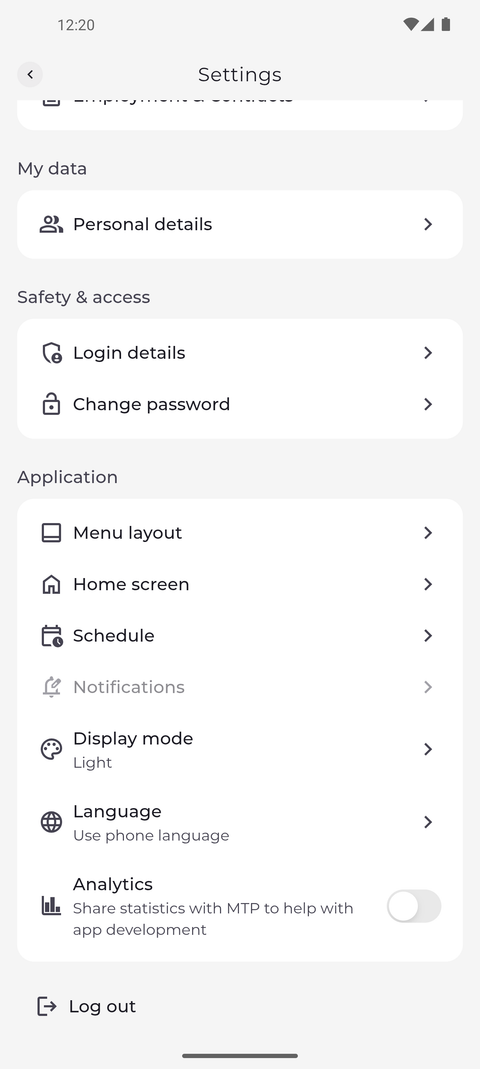
The Analytics switch in Settings decides whether the app shares statistics about how it is used with MTP.
Step by step
-
Step 1: Turn Analytics off to stop sharing usage statistics with MTP
Tap your profile picture at the top left of Home to open Settings, and scroll to the end of the Application section. Tap the switch next to Analytics: it slides to the left and turns grey, and the app stops sharing usage statistics with MTP. Tap it again to turn sharing back on.
Tip: Analytics is on until you turn it off.
Tip: The switch works at once - there is no Save button.
What happens next
The app no longer shares usage statistics with MTP until you turn Analytics on again.
Good to know
- The statistics show how the app is used, for example which pages are opened.
- The choice is saved on this phone, not in your account. It stays when you log out and applies to whoever signs in on this phone next.