


Change or remove your profile picture
You can take or choose a new profile picture, or remove the one you have.
Step by step
-
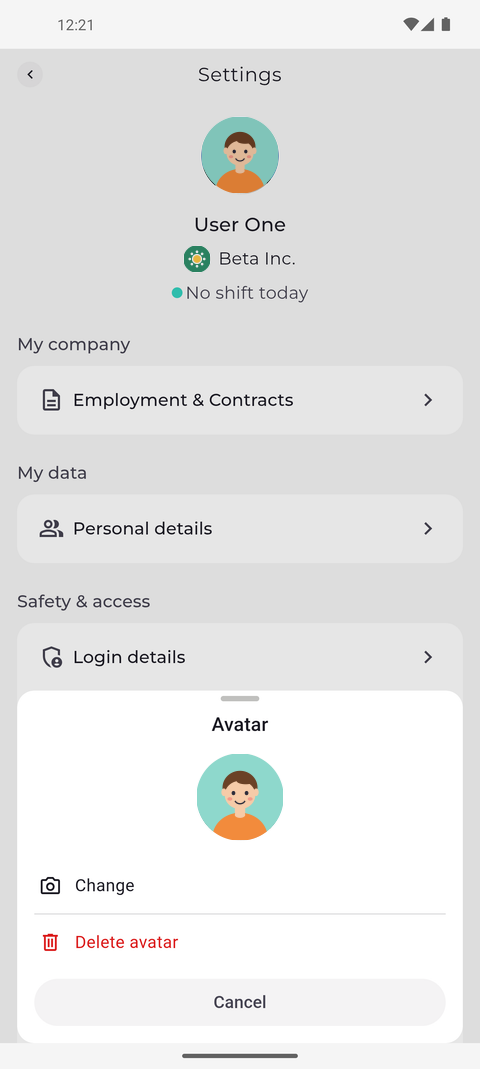
Step 1: Tap your picture to change it or delete it
Tap your picture at the top left of Home to open Settings, then tap your picture at the top of Settings. The Avatar sheet opens with your current picture: tap Change to take or choose a new one, or Delete avatar to remove it. Cancel closes the sheet.
Tip: You can also open this sheet from Personal details - tap the pencil on your picture.
-
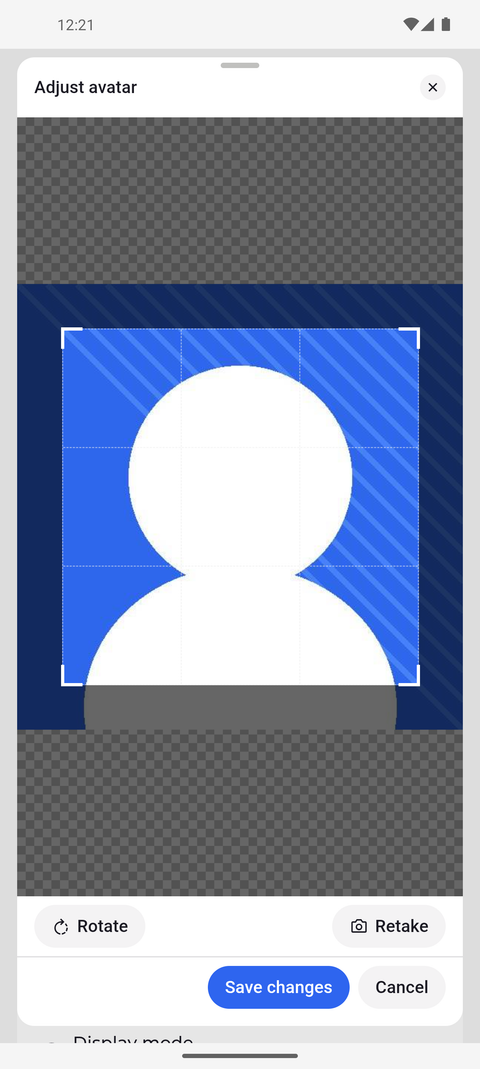
Step 2: Move or resize the square frame, Rotate turns the picture
After you choose a photo, the Adjust avatar window shows it with a square frame. The part inside the frame becomes your picture. When it sits well, tap Save changes.
Tip: Drag the square to the part of the photo you want, and drag its corners to make it bigger or smaller. The photo itself stays in place.
Tip: Rotate turns the photo a quarter turn; Retake lets you pick another photo.
-
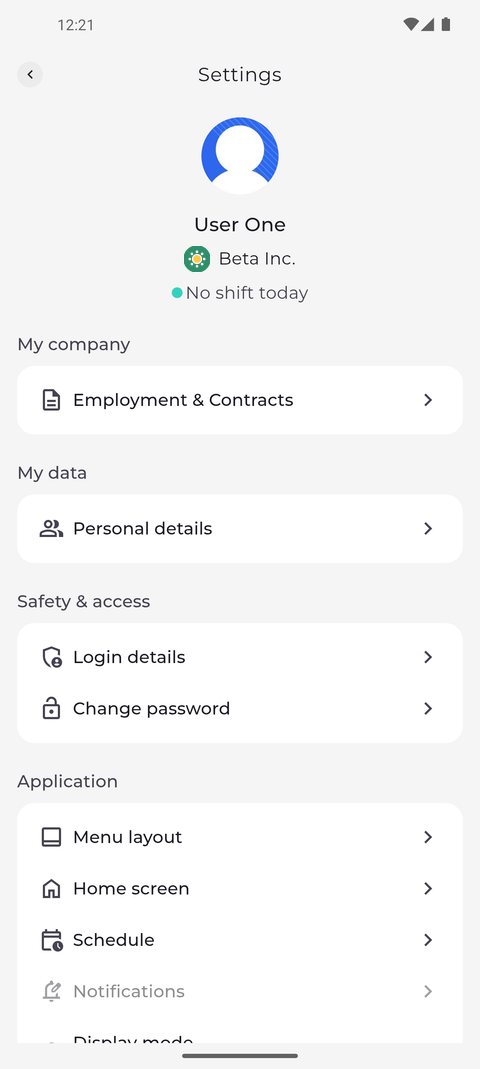
Step 3: Your new picture shows in Settings and everywhere in the app
The window closes and your new picture appears at the top of Settings and everywhere else in the app.
Tip: The app confirms with "Profile picture updated". If it says "Operation failed", your old picture stays - try again.
-
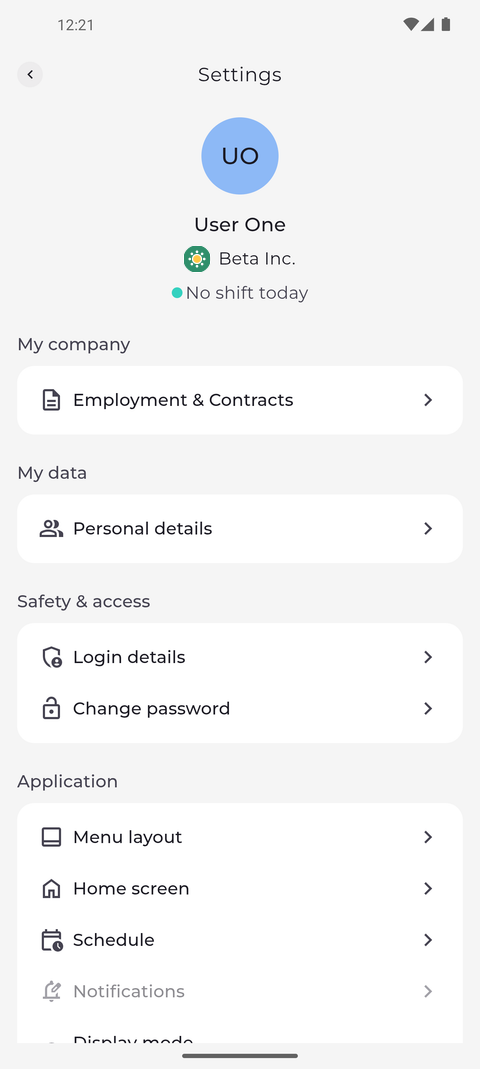
Step 4: Without a picture the app shows your initials
To remove the picture, tap it again and choose Delete avatar in the Avatar sheet. In place of the picture, the app shows a circle with your initials.
Tip: Delete avatar removes your picture straight away - the app does not ask you to confirm.
What happens next
Your profile shows the new picture, or your initials when you removed it.
Questions
Why does nothing happen when I tap my picture?
Changing your picture is not enabled for your account. Ask your manager.
Why does nothing happen after I tap Change?
The app needs access to both your camera and your photos. If you refused it, allow MTP to use the camera and photos in the settings of your phone, then try again.